mirror of
https://github.com/storytold/materialcraft.git
synced 2026-11-19 05:50:57 +01:00

316 lines
20 KiB
Markdown
316 lines
20 KiB
Markdown
<p align="center">
|
|
<a href="https://getartcraft.com/">
|
|
<picture>
|
|
<source media="(prefers-color-scheme: dark)" srcset="docs/brand/artcraft-logo-white.svg">
|
|
<img alt="ArtCraft" src="docs/brand/artcraft-logo.svg" width="200">
|
|
</picture>
|
|
</a>
|
|
</p>
|
|
|
|
<p align="center">
|
|
<img src="assets/app-icon/hicolor/256x256/apps/ai.storyteller.materialcraft.png" width="128" height="128" alt="MaterialCraft icon: an engraved rhino on a teal tile">
|
|
</p>
|
|
|
|
<h1 align="center">MaterialCraft</h1>
|
|
|
|
<p align="center">
|
|
<b>Procedural materials; an open-source, node-based material designer, built in pure Rust.</b>
|
|
</p>
|
|
|
|
<p align="center">
|
|
Build procedural materials from primitives and functions in a node graph, watch them
|
|
update live in 2D and on a 3D model, and export the maps for any engine. It runs natively on
|
|
macOS, Windows, Linux and FreeBSD, and in the browser via WebAssembly. Built by the ArtCraft team.
|
|
</p>
|
|
|
|
<p align="center">
|
|
<img alt="Status: in active development" src="https://img.shields.io/badge/status-in%20active%20development-178a9c?style=flat-square">
|
|
<img alt="Written in pure Rust" src="https://img.shields.io/badge/pure-Rust-b83a24?style=flat-square&logo=rust&logoColor=white">
|
|
<img alt="Runs on macOS, Windows, Linux, FreeBSD and the web" src="https://img.shields.io/badge/runs%20on-macOS%20%C2%B7%20Windows%20%C2%B7%20Linux%20%C2%B7%20FreeBSD%20%C2%B7%20Web-555555?style=flat-square">
|
|
<img alt="MCP server for agents" src="https://img.shields.io/badge/agents-MCP%20server-555555?style=flat-square">
|
|
<img alt="License: MIT OR Apache-2.0" src="https://img.shields.io/badge/license-MIT%20OR%20Apache--2.0-555555?style=flat-square">
|
|
<br>
|
|
<a href="https://sonarcloud.io/project/overview?id=storytold_materialcraft"><img alt="Scanned by SonarCloud" src="https://img.shields.io/badge/Scanned_by-SonarCloud-4b9fd5?style=flat-square&logo=sonarqubecloud&logoColor=white"></a>
|
|
<a href="https://coderabbit.ai"><img alt="Reviewed by CodeRabbit" src="https://img.shields.io/coderabbit/prs/github/storytold/materialcraft?style=flat-square&label=Reviewed%20by%20CodeRabbit&logo=coderabbit"></a>
|
|
</p>
|
|
|
|
<p align="center">
|
|
<a href="https://discord.gg/artcraft"><img alt="Join the ArtCraft community on Discord" src="https://img.shields.io/badge/Join%20us%20on%20Discord-5865F2?style=for-the-badge&logo=discord&logoColor=white" height="40"></a>
|
|
</p>
|
|
|
|
<p align="center">
|
|
<a href="https://getartcraft.com/apps/materialcraft"><b>MaterialCraft on getartcraft.com</b></a> ·
|
|
<a href="https://getartcraft.com/">ArtCraft</a> ·
|
|
<a href="https://getartcraft.com/apps">All Crafting Apps</a>
|
|
</p>
|
|
|
|
<br>
|
|
|
|
<p align="center">
|
|
<img src="docs/images/materialcraft-workspace.png" alt="The MaterialCraft workspace: the explorer and node library on the left; a brick wall material as a node graph with live thumbnails in the middle, over a 3D view of a rounded cube in red brick and a 2D view of the base color; the brick generator's parameters on the right" width="100%">
|
|
<br><sub><b>The workspace</b>: explorer, library, node graph, 3D view, 2D view and properties</sub>
|
|
</p>
|
|
|
|
> [!NOTE]
|
|
> **ArtCraft is a community of artists from all walks of life.** Painters, sculptors, game
|
|
> artists, material and texture artists, photographers, filmmakers, illustrators, designers,
|
|
> hobbyists, and people who picked up a stylus last week. If you make things, you belong here.
|
|
> **[Come say hi on Discord](https://discord.gg/artcraft).**
|
|
|
|
<p align="center">
|
|
<a href="#a-look-around">A look around</a> ·
|
|
<a href="#made-in-materialcraft">Made in MaterialCraft</a> ·
|
|
<a href="#why-materialcraft">Why MaterialCraft</a> ·
|
|
<a href="#quick-start">Quick start</a> ·
|
|
<a href="#status">Status</a> ·
|
|
<a href="#downloads">Downloads</a> ·
|
|
<a href="#the-crafting-apps">The Crafting Apps</a> ·
|
|
<a href="#license-and-credits">License</a>
|
|
</p>
|
|
|
|
## A look around
|
|
|
|
These screenshots show the earlier procedural library. The current build uses the primitive
|
|
catalog described in [the primitive workflow](docs/atomic-workflow.md).
|
|
|
|
<table>
|
|
<tr>
|
|
<td width="50%" valign="top">
|
|
<img src="docs/images/materialcraft-wood.png" alt="A wood planks graph: anisotropic noise warped by Perlin noise and multiplied over a plank pattern, shown on the rounded cube and in the 2D view" width="100%">
|
|
<p align="center"><sub><b>Wood planks</b>: anisotropic grain, warped and laid over planks</sub></p>
|
|
</td>
|
|
<td width="50%" valign="top">
|
|
<img src="docs/images/materialcraft-lava.png" alt="A lava rock graph: Voronoi plates with cracks and glowing seams, as dark rock with orange emissive cracks on the rounded cube" width="100%">
|
|
<p align="center"><sub><b>Lava rock</b>: cracked plates over glowing emissive seams</sub></p>
|
|
</td>
|
|
</tr>
|
|
<tr>
|
|
<td width="50%" valign="top">
|
|
<img src="docs/images/materialcraft-new-graph.png" alt="The New graph dialog: template spheres for empty, PBR, brick wall, stone tiles, wood planks, painted metal plates, rusty metal, lava rock, polished marble, wicker weave, woven fabric and mossy ground, with the graph name and size" width="100%">
|
|
<p align="center"><sub><b>New graph</b>: start from a PBR template or a sample material</sub></p>
|
|
</td>
|
|
<td width="50%" valign="top">
|
|
<img src="docs/images/materialcraft-ground.png" alt="A mossy ground graph: stones height-blended with dirt and moss grown in the crevices, on the rounded cube and in the 2D view" width="100%">
|
|
<p align="center"><sub><b>Mossy ground</b>: stones and dirt height-blended, with moss in the gaps</sub></p>
|
|
</td>
|
|
</tr>
|
|
</table>
|
|
|
|
## Made in MaterialCraft
|
|
|
|
These historical renders used the former Rust library and are no longer bundled as templates.
|
|
They were built from
|
|
its own procedural nodes (no photos, scans or textures from anywhere else) and rendered by
|
|
`materialcraft-cli render --scene sphere --full --hq` (the height output displaces the mesh, with
|
|
ray-traced ambient occlusion and a shadowed key light).
|
|
|
|
<p align="center">
|
|
<img src="docs/images/materialcraft-materials.png" alt="Eight material spheres: red brick, lava rock with glowing cracks, blue painted metal plates with rivets, wood planks, wicker weave, mossy ground, cracked stone tiles and polished white marble" width="100%">
|
|
</p>
|
|
<p align="center"><sub>Brick wall · Lava rock · Painted metal plates · Wood planks<br>Wicker weave · Mossy ground · Stone tiles · Polished marble</sub></p>
|
|
|
|
## Why MaterialCraft
|
|
|
|
- **Familiar.** The layout, panels, menus and gestures material artists already know: a package
|
|
explorer, a library of nodes with previews, the node graph with live thumbnails, a 3D view, a 2D
|
|
view and a properties panel with base and specific parameters (Levels is edited over a
|
|
histogram of its input, see [docs/levels-editor.md](docs/levels-editor.md)). Space opens the
|
|
node search.
|
|
- **Fast.** Every node cooks on every CPU core, and a content-addressed cache means an edit
|
|
re-cooks only what lies downstream.
|
|
Cooking runs on a worker thread, so the UI never waits.
|
|
- **Tileable by design.** Noises and patterns live on whole-number lattices, so everything tiles
|
|
seamlessly at any resolution, from 16 px to 8K.
|
|
- **Robust.** No panics in shipped code, every command tested with hostile input, every node cooked
|
|
with odd inputs in tests, undo from snapshots, and native SBS project files. Save `.sbs` with an
|
|
adjacent `resources/` folder, or a self-contained `.mcraft` ZIP with `package.sbs` and `resources/`.
|
|
- **Open.** Export base color, normal, roughness, metallic, height and ambient occlusion as PNG,
|
|
JPEG, TGA, BMP, WEBP, EXR or HDR at 8, 16 or 32 bits, with your own file name pattern.
|
|
- **Works with TextureCraft.** **File ▸ Send to TextureCraft** puts a material on TextureCraft's
|
|
shelf as a portable `.mcmat`; painted onto a mesh there, its graph inputs stay live sliders and
|
|
colors, re-cooked by MaterialCraft at the texture set's resolution with the mesh's baked maps
|
|
feeding the graph's input nodes.
|
|
- **Agent-native.** Every menu item and edit is a command you can drive from the CLI, a JSON
|
|
control channel (including synthetic mouse and keyboard input) or an **MCP server**, so Claude
|
|
and other agents can build materials the way a person does.
|
|
- **Everywhere.** One codebase for the desktop apps and the same UI in the browser.
|
|
|
|
## Quick start
|
|
|
|
```sh
|
|
git clone https://github.com/storytold/materialcraft
|
|
cd materialcraft
|
|
|
|
cargo run --release -p materialcraft # desktop app
|
|
cargo run --release -p materialcraft -- package.sbs # open an SBS package
|
|
cargo run --release -p materialcraft -- --control 7878 # + JSON control channel
|
|
cargo run --release -p materialcraft-cli -- mcp # MCP server (stdio)
|
|
cargo run --release -p materialcraft-cli -- new wood wood.sbs
|
|
cargo run --release -p materialcraft-cli -- render wood.sbs wood.png --scene sphere --full --hq
|
|
cargo run --release -p materialcraft-cli -- export wood.sbs textures --format png --depth 16
|
|
cargo run --release -p materialcraft-cli -- export my.sbs out --set wear=0.7 # with a graph input "wear" set first
|
|
cargo run --release -p materialcraft-cli -- run my.sbs file.exportMaterial '{"path": "my.mcmat", "size": 2048}' # for TextureCraft
|
|
cd apps/materialcraft-web && trunk serve # web build
|
|
cargo xtask ci # fmt, clippy, tests, layering, wasm
|
|
```
|
|
|
|
You need Rust 1.95 or newer. The app opens with an empty graph in a new package; **File ▸ New ▸ Graph...**
|
|
starts from a PBR template or one of the sample materials.
|
|
|
|
### Use it from Claude Code and other agents
|
|
|
|
Register the MCP server with Claude Code, giving it the folders it may read and write:
|
|
|
|
```sh
|
|
claude mcp add materialcraft -- /path/to/materialcraft-cli mcp --read-root /work/materials --write-root /work/materials
|
|
```
|
|
|
|
To drive the running app instead, start it with `--control 7878` and bridge to it:
|
|
|
|
```sh
|
|
claude mcp add materialcraft-app -- /path/to/materialcraft-cli mcp --bridge 7878
|
|
```
|
|
|
|
The details are in [`docs/control-protocol.md`](docs/control-protocol.md).
|
|
|
|
## Status
|
|
|
|
MaterialCraft is under active development. [**ROADMAP.md**](ROADMAP.md) has the parity estimate by
|
|
area, the remaining work and what's next.
|
|
|
|
**Current focus (2026-11-05):** primitive editing and native SBS save/load. The old Rust
|
|
procedural library has been removed. The replacement includes 30 main-graph entries, 85 function
|
|
operations and three pattern node kinds. Start with **File → New → Atomic sample**.
|
|
|
|
See [the primitive workflow](docs/atomic-workflow.md) for usage, validation scope and limitations.
|
|
Reference-app rendering parity and full SBS library loading are still pending.
|
|
|
|
**Workspace:** `crates/{core, image, geom, nodes, eval, formats, engine, render, automation, ui-egui}`
|
|
and `apps/{materialcraft, materialcraft-cli, materialcraft-web}`. The egui frontend is its own
|
|
crate, so the UI can be swapped without touching the engine; [`docs/architecture.md`](docs/architecture.md)
|
|
explains how it fits together.
|
|
|
|
Agent and contributor rules (clean room, the asset policy, no panics in shipped code, quality gates)
|
|
are in [`AGENTS.md`](AGENTS.md). Every bundled asset is listed with its licence in
|
|
[`ATTRIBUTION.md`](ATTRIBUTION.md).
|
|
|
|
## Downloads
|
|
|
|
**New to MaterialCraft?** Download it from the [MaterialCraft page on getartcraft.com](https://getartcraft.com/apps/materialcraft). That's the easiest way to install it.
|
|
|
|
**Want a specific build or format?** On GitHub, the [latest release](https://github.com/storytold/materialcraft/releases/latest) has every build listed below, and [all releases](https://github.com/storytold/materialcraft/releases) has earlier versions and their notes. `<ver>` in the file names is the version number, and `SHA256SUMS.txt` lists a checksum for every file.
|
|
|
|
### Windows
|
|
|
|
| Build | Installer | Portable |
|
|
|---|---|---|
|
|
| x64 (64-bit Intel/AMD) | `materialcraft-<ver>-windows-x64.msi` | `materialcraft-<ver>-windows-x64-portable.zip` |
|
|
| arm64 (Snapdragon and other ARM PCs) | `materialcraft-<ver>-windows-arm64.msi` | `materialcraft-<ver>-windows-arm64-portable.zip` |
|
|
| x86 (32-bit) | `materialcraft-<ver>-windows-x86.msi` | `materialcraft-<ver>-windows-x86-portable.zip` |
|
|
|
|
### macOS
|
|
|
|
| Build | File | Notes |
|
|
|---|---|---|
|
|
| App, universal (Apple silicon + Intel) | `materialcraft-<ver>-macos-universal.dmg` | Signed and notarized |
|
|
| Command-line tool, universal | `materialcraft-cli-<ver>-macos-universal.zip` | Signed and notarized |
|
|
|
|
### Linux
|
|
|
|
| Format | x86_64 | aarch64 (ARM64) | Notes |
|
|
|---|---|---|---|
|
|
| AppImage | `materialcraft-<ver>-linux-x86_64.AppImage` | `materialcraft-<ver>-linux-aarch64.AppImage` | Runs anywhere; updates itself with [AppImageUpdate](https://github.com/AppImageCommunity/AppImageUpdate) (`.zsync` files) |
|
|
| Flatpak | `materialcraft-<ver>-linux-x86_64.flatpak` | `materialcraft-<ver>-linux-aarch64.flatpak` | Sandboxed; `flatpak install --user <file>` |
|
|
| Debian/Ubuntu | `materialcraft-<ver>-linux-x86_64.deb` | `materialcraft-<ver>-linux-aarch64.deb` | |
|
|
| Fedora/RHEL/openSUSE | `materialcraft-<ver>-linux-x86_64.rpm` | `materialcraft-<ver>-linux-aarch64.rpm` | |
|
|
| Tarball | `materialcraft-<ver>-linux-x86_64.tar.gz` | `materialcraft-<ver>-linux-aarch64.tar.gz` | Unpack anywhere |
|
|
|
|
### FreeBSD
|
|
|
|
| Build | File |
|
|
|---|---|
|
|
| x86_64 | `materialcraft-<ver>-freebsd-x86_64.tar.gz` |
|
|
|
|
### Web (WebAssembly)
|
|
|
|
| Build | File | Notes |
|
|
|---|---|---|
|
|
| Static site | `materialcraft-web-<ver>.zip` | Runs in a modern browser; host it on any static server |
|
|
|
|
## The Crafting Apps
|
|
|
|
MaterialCraft is one of the **Crafting Apps**: free, open-source creative tools from the
|
|
[ArtCraft](https://getartcraft.com/) team, each written from scratch in Rust and each able to
|
|
stand on its own.
|
|
|
|
| | App | What it's for | Code | Learn more |
|
|
|:-:|---|---|---|---|
|
|
| <img src="https://raw.githubusercontent.com/storytold/photocraft/main/assets/app-icon/hicolor/64x64/apps/ai.storyteller.photocraft.png" alt="" width="32" height="32"> | **PhotoCraft** | Image editing: layers, masks, type and real PSD files | [GitHub](https://github.com/storytold/photocraft) | [Website](https://getartcraft.com/apps/photocraft) |
|
|
| <img src="https://raw.githubusercontent.com/storytold/vectorcraft/main/assets/app-icon/hicolor/64x64/apps/ai.storyteller.vectorcraft.png" alt="" width="32" height="32"> | **VectorCraft** | Vector illustration | [GitHub](https://github.com/storytold/vectorcraft) | [Website](https://getartcraft.com/apps/vectorcraft) |
|
|
| <img src="https://raw.githubusercontent.com/storytold/texturecraft/main/assets/app-icon/hicolor/64x64/apps/ai.storyteller.texturecraft.png" alt="" width="32" height="32"> | **TextureCraft** | 3D texture painting | [GitHub](https://github.com/storytold/texturecraft) | [Website](https://getartcraft.com/apps/texturecraft) |
|
|
| <img src="https://raw.githubusercontent.com/storytold/materialcraft/main/assets/app-icon/hicolor/64x64/apps/ai.storyteller.materialcraft.png" alt="" width="32" height="32"> | **MaterialCraft** | **Procedural materials with node graphs · you are here** | [GitHub](https://github.com/storytold/materialcraft) | [Website](https://getartcraft.com/apps/materialcraft) |
|
|
| <img src="https://raw.githubusercontent.com/storytold/filmcraft/main/assets/app-icon/hicolor/64x64/apps/ai.storyteller.filmcraft.png" alt="" width="32" height="32"> | **FilmCraft** | Video editing, color and sound | [GitHub](https://github.com/storytold/filmcraft) | [Website](https://getartcraft.com/apps/filmcraft) |
|
|
| <img src="https://raw.githubusercontent.com/storytold/lightcraft/main/assets/app-icon/hicolor/64x64/apps/ai.storyteller.lightcraft.png" alt="" width="32" height="32"> | **LightCraft** | Photo library and raw development | [GitHub](https://github.com/storytold/lightcraft) | [Website](https://getartcraft.com/apps/lightcraft) |
|
|
| <img src="https://raw.githubusercontent.com/storytold/pdfcraft/main/assets/app-icon/hicolor/64x64/apps/ai.storyteller.pdfcraft.png" alt="" width="32" height="32"> | **PdfCraft** | Reading, organizing and protecting PDFs | [GitHub](https://github.com/storytold/pdfcraft) | [Website](https://getartcraft.com/apps/pdfcraft) |
|
|
| <img src="https://raw.githubusercontent.com/storytold/effectcraft/main/assets/app-icon/hicolor/64x64/apps/ai.storyteller.effectcraft.png" alt="" width="32" height="32"> | **EffectCraft** | Motion graphics and visual effects | [GitHub](https://github.com/storytold/effectcraft) | [Website](https://getartcraft.com/apps/effectcraft) |
|
|
| <img src="https://raw.githubusercontent.com/storytold/designcraft/main/assets/app-icon/hicolor/64x64/apps/ai.storyteller.designcraft.png" alt="" width="32" height="32"> | **DesignCraft** | Page layout and publishing | [GitHub](https://github.com/storytold/designcraft) | [Website](https://getartcraft.com/apps/designcraft) |
|
|
| <img src="https://raw.githubusercontent.com/storytold/gridcraft/main/assets/app-icon/hicolor/64x64/apps/ai.storyteller.gridcraft.png" alt="" width="32" height="32"> | **GridCraft** | Spreadsheets and data | [GitHub](https://github.com/storytold/gridcraft) | [Website](https://getartcraft.com/apps/gridcraft) |
|
|
|
|
And [**ArtCraft**](https://getartcraft.com/) itself, our AI image and video studio for artists who want real control.
|
|
|
|
<br>
|
|
|
|
<p align="center">
|
|
<a href="https://discord.gg/artcraft"><img alt="Join the ArtCraft community on Discord" src="https://img.shields.io/badge/Join%20us%20on%20Discord-5865F2?style=for-the-badge&logo=discord&logoColor=white" height="40"></a>
|
|
</p>
|
|
|
|
<h3 align="center">Come make things with us</h3>
|
|
|
|
<p align="center">
|
|
Our Discord is where artists of every kind hang out: people who paint, sculpt, model, build
|
|
materials, shoot, draw, cut film, set type, and people still figuring out what they like to make.
|
|
Share what you're working on, ask for help, tell us what's broken, or tell us what you wish these
|
|
tools could do. Whatever your medium and however long you've been at it, you're welcome here.
|
|
</p>
|
|
|
|
<p align="center">
|
|
<a href="https://discord.gg/artcraft"><b>discord.gg/artcraft</b></a> ·
|
|
<a href="https://getartcraft.com/">getartcraft.com</a> ·
|
|
<a href="https://getartcraft.com/apps">The Crafting Apps</a> ·
|
|
<a href="https://getartcraft.com/apps/materialcraft">MaterialCraft</a>
|
|
</p>
|
|
|
|
## Star history
|
|
|
|
[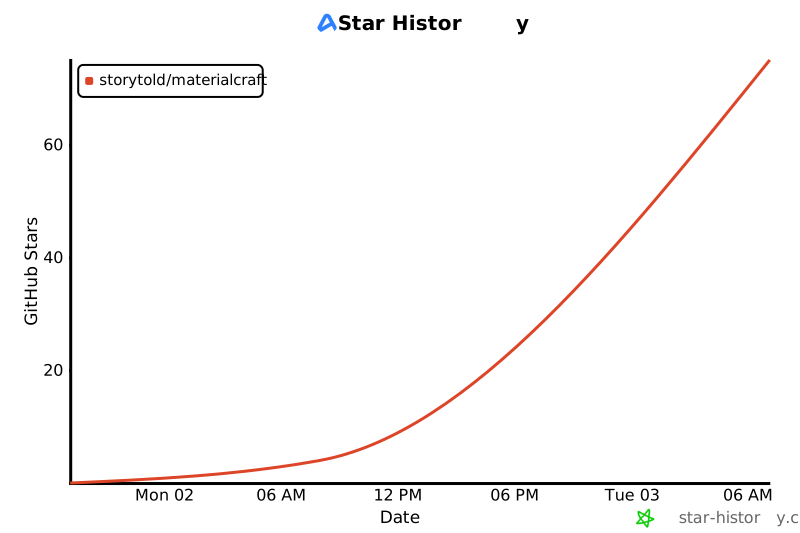](https://www.star-history.com/?repos=storytold%2Fmaterialcraft&type=date&legend=top-left)
|
|
|
|
## License and credits
|
|
|
|
MaterialCraft is dual-licensed under [MIT](LICENSE-MIT) or [Apache-2.0](LICENSE-APACHE), at your option.
|
|
Copyright (c) 2026 ArtCraft Team and the MaterialCraft contributors. Required notices are in [NOTICE](NOTICE).
|
|
|
|
Bundled icons, images and other assets keep their own open licenses; each one is listed with its
|
|
author, source and license in [ATTRIBUTION.md](ATTRIBUTION.md).
|
|
|
|
Every material, noise, pattern, environment, library preview and mesh shown is generated
|
|
procedurally by MaterialCraft itself; no third-party textures, scans or models appear in the
|
|
screenshots. MaterialCraft is an independent, clean-room implementation of a node-based procedural
|
|
material workflow and is not affiliated with any other software vendor.
|
|
|
|
The app icon (an engraved rhino on MaterialCraft teal `#178a9c`) is original artwork made for this
|
|
project by its owner; its files and notes are in [`assets/app-icon/`](assets/app-icon/).
|
|
|
|
The ArtCraft name, wordmark and logos in [`docs/brand/`](docs/brand/) are trademarks of the
|
|
ArtCraft Team and are not covered by this license. They may be used only unmodified, and only as
|
|
part of this repository and MaterialCraft, under [`docs/brand/LICENSE-brand.txt`](docs/brand/LICENSE-brand.txt).
|
|
Forks and modified versions must remove them.
|
|
|
|
<p align="center">
|
|
<a href="https://discord.gg/artcraft"><img alt="Join the ArtCraft community on Discord" src="https://img.shields.io/badge/Join%20us%20on%20Discord-5865F2?style=for-the-badge&logo=discord&logoColor=white" height="40"></a>
|
|
</p>
|
|
|
|
<p align="center">
|
|
<a href="https://getartcraft.com/"><img alt="ArtCraft" src="docs/brand/artcraft-mark.svg" width="28"></a><br>
|
|
<sub>Made by the <a href="https://getartcraft.com/">ArtCraft</a> team and community.</sub>
|
|
</p>
|